10 Questions Every Lovable App Owner Should Answer After Launch
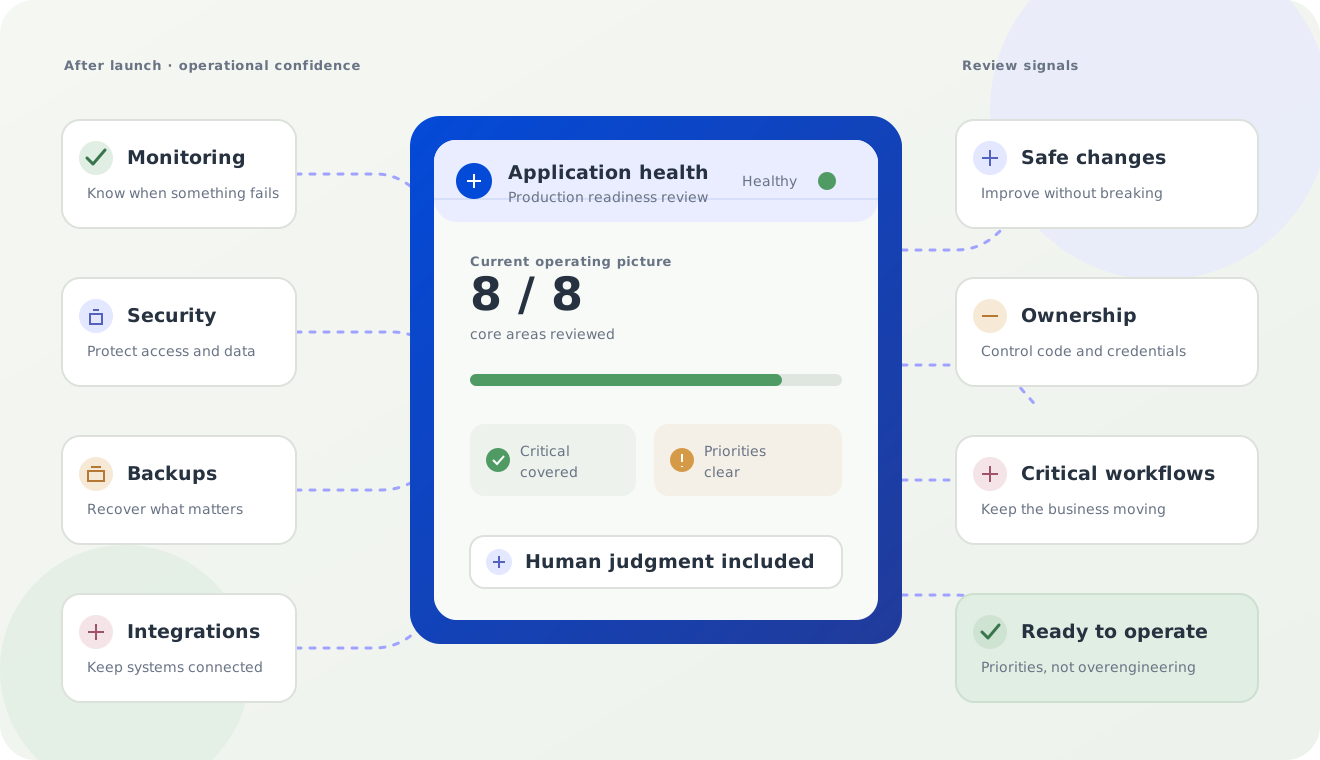
This guide is a practical check before customers depend on the application. Use it to find the few operational questions that need a clear answer now.
10 questions every Lovable app owner should answer after launch
You do not need an elaborate engineering program to answer these questions. You do need clear answers that match the risk of your business.
1. How will I know if the application is down?
An external uptime check should visit your site independently and alert you when it cannot reach it. For some businesses, email is enough. For an application handling time-sensitive transactions, you may also want SMS or Slack alerts, along with domain and SSL certificate monitoring.
The baseline is straightforward: you should not discover an outage because a customer tells you.
2. How will I know if one important feature is broken?
Uptime is not enough. A site can respond normally while signup, booking, checkout, or a contact form fails.
For the workflows that matter most, use a test that behaves like a user. It can periodically open the page, submit safe test data, and confirm that the expected result occurs. Keep the list short. Start with the one or two actions that would hurt most if they stopped working.
For example:
| Homepage | Checkout |
|---|---|
| Works | Fails |
The application is “up.” The business is still broken.
3. Do users complete the workflows that matter?
Operational monitoring tells you whether the software is alive. Business monitoring tells you whether it is doing its job.
A simple funnel might look like this:
| Step | People |
|---|---|
| Signup started | 100 |
| Verification sent | 98 |
| Verified | 71 |
| Onboarding completed | 54 |
| Payment completed | 48 |
That drop-off may be expected, or it may reveal a confusing screen, a broken email, or a payment problem. You do not need to track everything. Pick the few outcomes tied directly to the business and review them regularly.
4. What happens when an integration fails?
Your application may rely on Stripe, an email provider, a CRM, a calendar, an SMS service, or another API. Those services occasionally time out or return an error.
Ask what happens next. Does the application retry? Does someone get an alert? Can you see which records failed? Is there a way to reconcile the systems later?
One useful scenario to test is this: if a payment succeeds but the webhook fails, will the application eventually recover? If the answer is unclear, document the behavior before it becomes an urgent customer-support problem.
5. Is customer data actually protected?
Authentication answers, “Who are you?” Authorization answers, “What are you allowed to see or do?” Both matter.
Review user permissions, database access rules, admin functionality, secrets, and the places where personally identifiable information is stored or sent. Check that a normal user cannot view another customer’s records simply by changing an identifier in a URL or request.
If your app handles meaningful customer data, payments, health information, or confidential business information, a production security review is a sensible investment. It should be specific to the application, not a generic list of scary possibilities.
6. Is my data backed up?
Confirm what is backed up, how often it happens, where it is stored, and how you would restore it. Depending on the application, that may include the database, uploaded files, configuration, and key deployment information.
A backup you have never successfully restored is an assumption, not a recovery plan.
The right recovery process depends on the cost of losing data. A small internal tool may need a simpler plan than a customer-facing system with years of records. The goal is proportionate protection, not complexity for its own sake.
7. What happens when I make the next change?
“Improve checkout” sounds like a small request. The change might also affect mobile layouts, analytics, login, database behavior, or another workflow.
Before an important change reaches customers, test the path it is meant to improve and the paths most likely to be affected. Keep a short list of critical workflows and run it after each meaningful release.
AI makes changing software easier. That also makes it easier to change software more often. Frequent change increases the value of simple validation.
8. Who manages dependencies and platform changes?
Applications rely on libraries, APIs, hosting platforms, authentication providers, and integrations. Those dependencies change over time. An update may fix a problem, introduce a new behavior, or require a configuration change.
You do not need somebody watching every release. A periodic technical health check is usually enough for a small application. The review should look at outdated dependencies, expiring credentials, vendor notices, and any changes that could affect the customer journey.
9. What happens if usage increases?
Plan for the next realistic stage, not an imaginary audience of millions. A useful first review asks whether there are obvious bottlenecks, sensible limits, and enough visibility to notice when capacity is getting tight.
If you have hundreds of users today, you probably do not need enterprise infrastructure today. You do need to know what would have to change at the next level of usage and how you will see that moment approaching.
10. Who actually owns everything?
The business should control the accounts and information it would need to keep operating:
| Asset | Sensible owner |
|---|---|
| Domain | The business |
| Source code | A business-controlled repository |
| Customer data | The business |
| Payment account | The business |
| Analytics | The business |
| Hosting and vendor accounts | The business |
| Secrets and credentials | The business, stored securely |
This is not about distrusting a founder, contractor, or agency. It is about avoiding a single point of failure. The business should not depend on one person’s personal account to access its domain, code, customer data, or payment system.
Keep the three questions together
These topics are connected. The questions tell you what to inspect, the readiness scale helps you decide how much care is proportionate, and the ownership checklist shows who must be able to act when something changes. Read the five-level readiness scale and the ownership checklist alongside this guide. For the broader argument, return to the Lovable launch guide.